
Think about the last big feature you shipped. Be honest. Did you cram it into one giant pull request, or did you split it into smaller scoped pull requests? For years, you have silently had to decide between watching a pull request grow so large that reviewing it becomes a nightmare or breaking it into a chain of smaller pull requests that you have to babysit, sync by hand, and untangle conflicts every time a change is introduced below.
Both options have trade-offs. One is hard to review, while the other is hard to maintain. Your decision that day leans towards the less painful option.
Now add coding agents. They are incredibly productive and are projected to drive a 50% productivity gain across every SDLC stage by 2028, according to Gartner. But, they can’t take away the choice of how you structure your pull requests. They amplify the need to make it.
In this post, follow along with an example of how you can use stacked pull requests to simplify reviews.
A closer look: Adding product search to a shopping assistant
Let’s say you issue a prompt to add product search to a shopping assistant, walk away and minutes later, literally, you come back to review, steer, and approve. But look closely at what tends to land in that single pull request:
- A new data model and its seed data
- An API route and its validation
- The client wiring and the UI and the empty/fallback/error states
…all of this and more in one ginormous 1,000+ line diff.
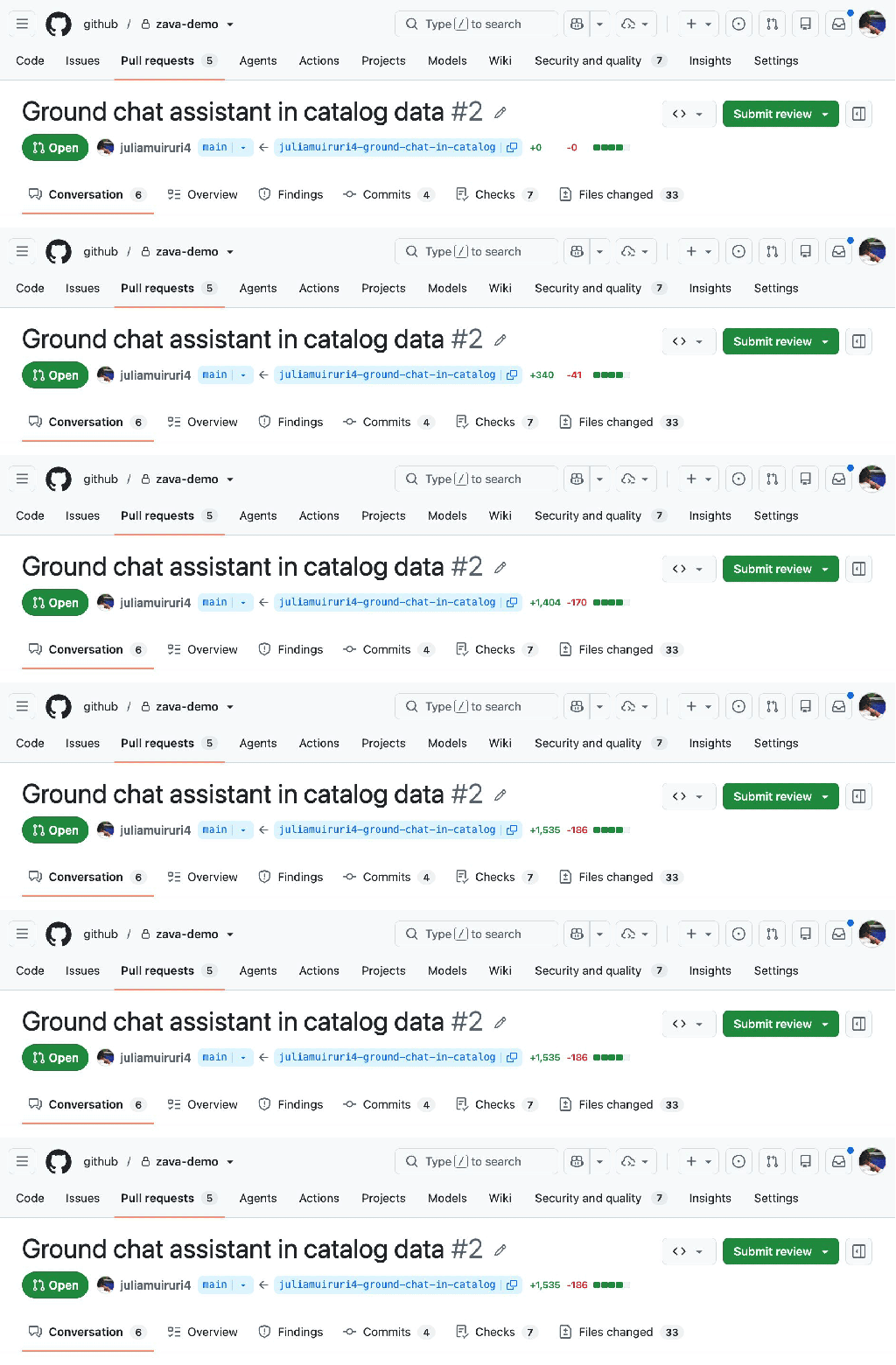
For agents largely trained on how code has traditionally been written over the years, this pattern is their default way of shipping. Let’s play this out.
You want to add product search on as existing web application and your starting state is:
- A mock AI Assistant showing responses from a random-line generator
- Inconsistent product data hardcoded and scattered across components
- No catalog module, no API, no data layer—no nothing
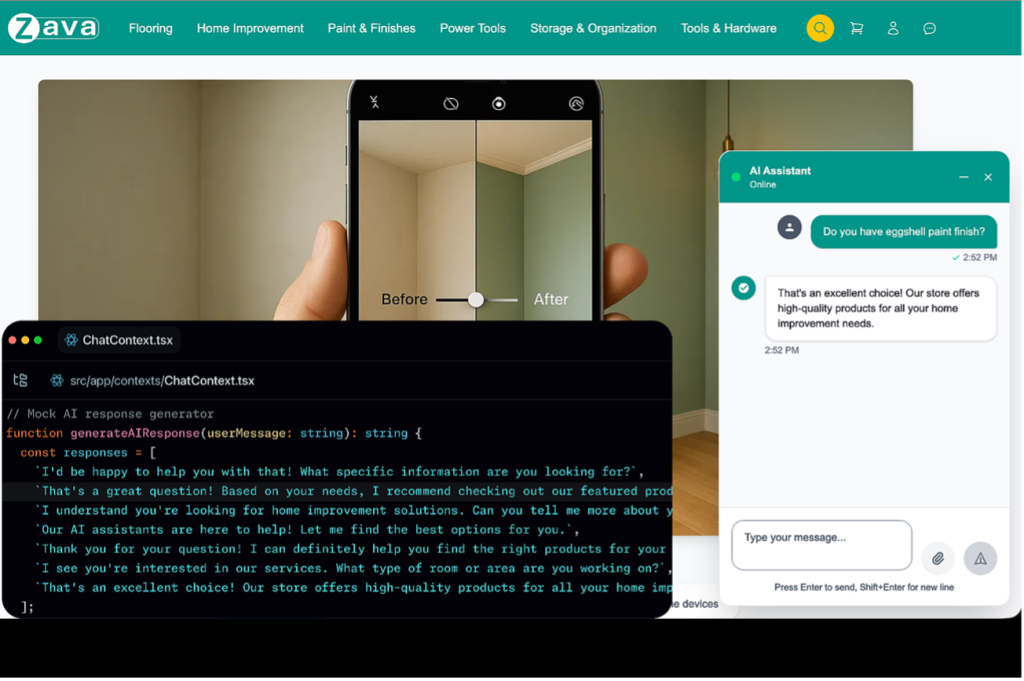
An issue is opened to implement the feature, and a typical flow would be to create a feature branch, assign it to a coding agent (or multiple custom agents), get a first draft of the whole implementation code and updated tests…
…you read the code (well, you maybe read the code). Then, you still need to manually verify feature behavior and make any necessary updates, push and open a pull request with its long-yet-shallow AI generated description, ensure CI checks are green, and self-review diff then request reviewers. You get started…
Reviewer: 1,721 lines changed!! This description isn’t very helpful. I’ll review this later.
And what follows is familiar:
- The large pull request becomes hard to review—so it just…sits there.
- Reviewers lose context and the feedback quality drops.
- It becomes even slower to merge.
This kicks off a manual, messy, time-consuming process that’s prone to conflicts before the feature lands, and it eventually lands under-reviewed.
GitHub stacked pull requests
Stacked pull requests introduce a different and better structure of delivery. The principle is simple: decomposition. Instead of shooting for a single pull request that addresses the issue in its entirety, you break down the feature into logical layers and identify the dependency chain to arrive at your desired goal. This gives you, and your agents, a native way to decompose work that otherwise lands in a giant pull request into a chain of small, focused and independently reviewable layers.
That large pull request that’s hard to review becomes a stack of smaller, logically ordered pull requests, each scoped to a single concern, small enough to hold in a reviewer’s head and with just enough context naturally flowing from the previously reviewed pull request.
Let’s make it happen.
The stack structure
Let’s look at the steps involved when decomposing the problem and arranging the layered stack.
First, and importantly, set the stack base. This matters because CI checks and merge rules throughout the stack management lifecycle get evaluated against the stack base.
Then, identify the core foundational unit of work and put it closer to the base (lowest in the stack), and layer dependent work above it.
| Stack Layer (L#)/Branch | What to ship | Depends on |
|---|---|---|
| L1 (feat/catalog-data) | A typed catalog with seed data, validation, and a data access module | main (stack base) |
| L2 (feat/search-api) | Validated /api/products/search endpoint | feat/catalog-data |
| L3 (feat/chat-grounding) | Chat calls the API and answers from real product data | feat/search-api |
| L4 (feat/grounded-ui) | Product citation cards + state | feat/chat-grounding |
Now the independent concerns are clear: data, API, wiring, UX, making it possible to allocate different reviewer audiences for each. Data is reviewed by a data owner, UX by a UI owner.
GitHub’s native support for stacked pull requests can be launched from the pull request UI and extends seamlessly to the terminal with the gh stack CLI.
Install the stacked pull requests CLI extension
Run the following:
gh extension install github/gh-stackIn ancient times, you’d be set to start working. Not today though. There are agents working alongside you. These agents need to learn how stacks work and how to create and manage them on your behalf. The gh-stack skills teaches them this.
gh skill install github/gh-stackOr, if you prefer:
npx skills add github/gh-stackFor the specific feature from the above example, your development workflow has custom agents, each with defined work streams and that follow a strict scoping discipline to achieve the goal of small, single-scoped pull requests.
| Layer/branch | Agent |
|---|---|
| L1 (feat/catalog-data) | Data modeler agent |
| L2 ( feat/search-api) | Backend agent |
| L3 ( feat/chat-grounding) | Frontend agent |
| L4 ( feat/grounded-ui) | Frontend agent |
The last piece of the setup is to confirm CI exists. As mentioned earlier, each pull request will be evaluated against the stack base, and these checks will run for every layer.
Now the work begins.
Layer one: Data catalog foundation
Most agent workflows today are automated and execute autonomously in loops, but for the sake of illustration, we’ll cover each step at a time.
At this point, all agents are familiar with how stacked pull requests work, so a typical workflow at this stage would be:
- Invoking the Data Modeler agent with an appropriate prompt
- The agent initializes a new stack and sets the first branch—
feat/catalog-datawith main as its base usinggh init stack - Checks out, works and runs validation
(All checks == green) ? commit the layer : Iterate
Reviewer’s note for the future: Are the types correct? Is the data validated? Is the query helper safe? Period.
Layer two: Product search API
Follow a flow similar to:
- Invoking the Backend agent with an appropriate prompt
- The agent adds the next layer
feat/search-apion top of layer one, its base:feat/catalog-data, to import the completed data access module withgh stack add - Checks out, works and runs validation
- Developer tests the API manually
(API works && All checks == green) ? commit the layer : Iterate
Reviewer’s note for the future: Is input validated? Is the response contract stable? Are error/empty states handled here or pushed downstream? Period.
Layer three: Wire chat to the API
In this next layer, you:
- Invoke the Frontend agent with an appropriate prompt
- The agent adds the next layer
feat/chat-groundingon top of layer two. Its base:feat/search-api, which will branch off with both the data access module and validated API. - Checks out, works and runs browser tests with Playwright
(All checks == green) ? commit the layer : Iterate
Reviewer’s note for the future: Is every answer tracing back to a real API response? What happens when the API fails or returns nothing? Period.
Layer four: Grounded UI and citations
You’ll notice that layer three and layer four, despite having the same author, (Frontend agent), are layered distinctively. This is deliberate. The UI owner should not have to check the underlying data flow and vice versa, and this structure allows for that independence.
So, the frontend agent:
- Adds the next layer
feat/grounded-uion top of layer three, its base:feat/chat-grounding - Checks out, works and runs browser tests with Playwright
(All checks == green) ? commit the layer : Iterate
Reviewer’s note for the future: Does every citation link back to a real product? Are loading, empty and error states all covered? Period.
Submit the stack
The four local stacked branches are ready. Next is to push them to remote with gh stack push, then create pull requests linking them on GitHub with gh stack submit.
The stack map and CI on each layer
Switching over to GitHub, all four pull requests are open and at the top of each one, you see a stack map, which is a one-click navigation system between pull requests in the stack.
Reviewing and updating the stack
Time to switch hats and look at a reviewer’s journey through stacked pull requests.
The stack map is a reviewer’s compass – a navigation aid between the top of the stack and its bottom, heading towards a successful merge. The movement is directional: read top-down, review bottom-up.
- Read top-down, for context. This gives you the end goal at the very beginning of the review process, so you can set a bearing. “Oh, so we want to display product cards on the chat interface.”
- Review bottom-up to build on the predetermined checkpoints. The implementation on each layer only makes sense once the preceding layer is understood.
You are no longer looking at a single 1,720+ line-sized pull request to be reviewed in one sitting, as we saw in our example, but instead, the review can be distributed in small, self-contained targets in a stack.
As the assigned human in the loop reviewer, you come in and look at layer one, the pull request at the bottom of the stack, and see that the automatic Copilot Code Review (CCR) caught two issues which you agree should be fixed.
Changes are requested at the bottom of the stack, so you:
- Hand the feedback to the layer one author, data modeler agent that owns the branch
- Suggestions are applied, tested, committed and pushed
- Once the fix lands on feat/catalog-data, the natural next question is: what does this mean for layers two, three, and four?
Since branch feat/catalog-data was pushed out of turn after the review, GitHub flags it plainly: “Some branches in this stack have diverged and must be rebased” paired with “Unable to merge as a stack” flag and that blocks the merge.
Back on the pull request UI on GitHub, a one-click Rebase stack button appears. Before using the button, there is something important worth noting. Triggering a web-based rebase using this button runs it on GitHub’s servers, which means it resets the committer to whoever clicked the button, the resulting commits aren’t signed, and if branch protection expects signed commits, that one click quietly breaks.
The safer, equivalent move from the terminal would be gh stack rebase to perform that same cascading rebase locally as you interactively resolve conflicts, but this time using your own Git configuration, then gh stack push.
Finally, you’ll propagate through the stack. The rest of the stack, both local and on GitHub, now needs to catch up, and it couldn’t be easier than a single sync command gh stack sync.
An all-in-one flow starts with fetching from origin, cascading a rebase of every branch above feat/catalog-data onto the new commit, pushes the rebased branches and syncs pull request state from GitHub. This way, the change ripples upward without anyone touching layers two, three, or four by hand.
Back on GitHub, all checks re-run, pass and the stack map settles back into a clean, mergeable line from main to feat/grounded-ui.
Get started with stacked pull requests >
The post Turn one giant AI-generated pull request to a reviewable stack appeared first on The GitHub Blog.
Instead of one huge, un-reviewable pull request, teach coding agents to decompose work into a clean, ordered stack with GitHub stacked pull requests.
The post Turn one giant AI-generated pull request to a reviewable stack appeared first on The GitHub Blog.





Social Plugin